
Voice notes that turn into text, right where your work is
Leaving a meeting or between calls? Tap the microphone and talk: MarsFlow turns it into text and files it under the right contact, meeting or task.
Free for 14 days · then $4.99/month
How it works
Speak, and it’s written down
-
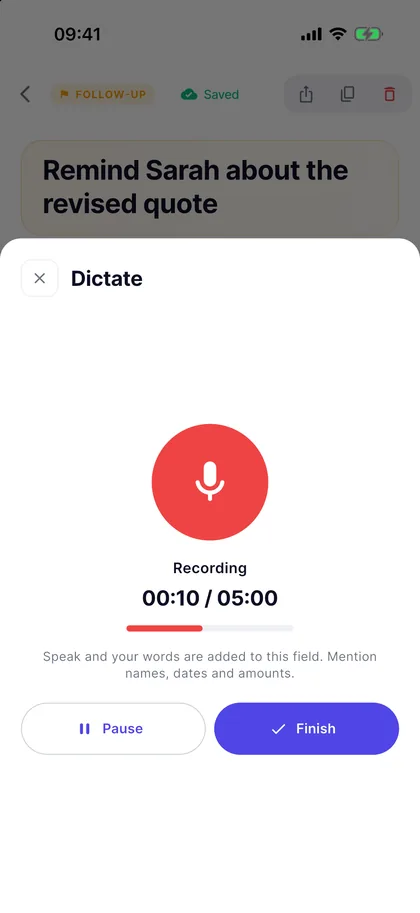
Tap the microphone
Every notes field on tasks, meetings, follow-ups, contacts, companies and notes has a microphone. On a contact, “Describe the meeting” opens a full-screen recorder.
-
Talk it through
Speak for up to five minutes; you can pause and carry on. Saying names, dates and amounts clearly makes the transcript better.
-
Get the text
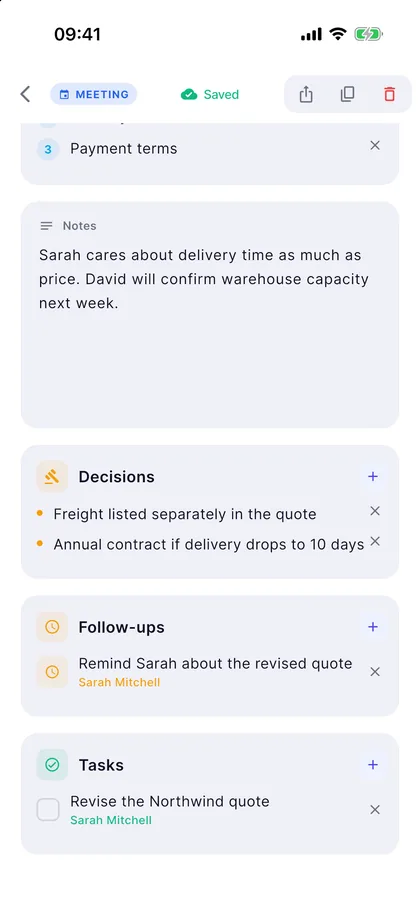
Tap Finish and the text lands in the note within seconds. Read it over and edit anything before you save.
For a better transcript
- Hold the phone a short distance from your mouth and speak normally.
- Say names, company names, dates and amounts clearly.
- In wind or noise, keep your sentences short.
- If no sound is picked up, MarsFlow tells you, so check the microphone isn’t muted.
Where it goes
Not a recording on its own, a note in context
A voice memo you never listen to again doesn’t help. In MarsFlow the text sits with the person or the meeting it’s about, ready before your next conversation.
-
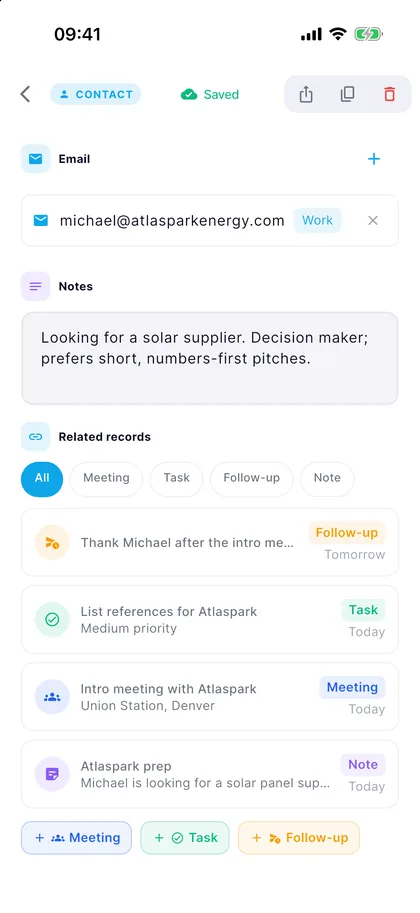
Dated notes on the contact
A note recorded with “Describe the meeting” is saved under that person with its date. Before you meet again, you see what you talked about at a glance.
- On the same card as meetings, tasks and follow-ups
- Edit the text whenever you like
- A WhatsApp follow-up is one tap away
-
Voice typing in every notes field
Tasks, meetings, follow-ups, contacts and companies all have a microphone next to Notes. What you say is added to the field, so a meeting’s notes are done before you reach the car.
- Up to five minutes per recording, with pause
- Read it over and edit before you save
- Add decisions, follow-ups and tasks on the same screen
Privacy
Your text stays, the audio doesn’t
-
The audio isn’t kept
Right after transcription, the recording is deleted from the server and from your phone. All that’s left is the text.
-
Processed in the EU
Transcription runs on servers in the EU (Soniox), and your records are stored on servers in Ireland (EU).
-
Your consent first
The first time you use voice notes, MarsFlow explains what is sent where and asks for your consent. You can withdraw it in Settings at any time.
Voice notes FAQ
Are voice notes free?
MarsFlow is one subscription with every feature, voice notes included. New subscribers get 14 days free, then it’s $4.99 a month or $39.99 a year (US prices; the store shows your local price).
Which languages does it understand?
English, Turkish, Spanish and German. Speak in the language you use the app in; English terms mixed into your sentences are recognised too.
How long can a recording be?
Up to five minutes. For a longer note, start another recording and the text is added to the same field.
Is my recording stored?
No. The audio is transcribed on EU servers and deleted from the server and your phone straight after. Only the text is saved.
Can I transcribe an existing audio file or voice memo?
Not at the moment. MarsFlow transcribes the voice notes you record in the app; it doesn’t import audio files.
Does it record the whole meeting?
No. Voice notes are for your own short summary after the conversation. MarsFlow records you, not the meeting.
Do I need an internet connection?
Yes. Transcription happens on a server, so it needs a connection.

Say it once, find it later
Download MarsFlow and record your first voice note today. Free for 14 days.
After the trial, $4.99 a month or $39.99 a year. Cancel anytime in your store account.